Rental Screenings
Rental screenings help you evaluate applicants by verifying identity, reviewing credit, and checking background history. Each applicant completes their own portion of the process, and reports become available once all required authorizations are submitted.
🧩 Important Applicant Requirements
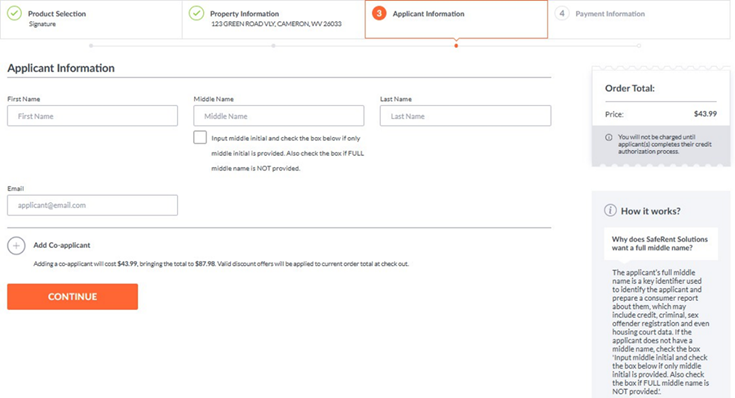
- Each applicant must have a unique email address.
- Applicant must have a valid U.S. address.
- Applicant must have an SSN or ITIN.
✅ Steps
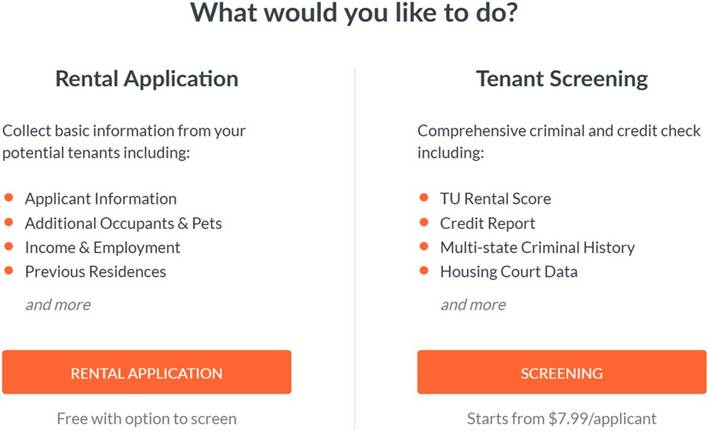
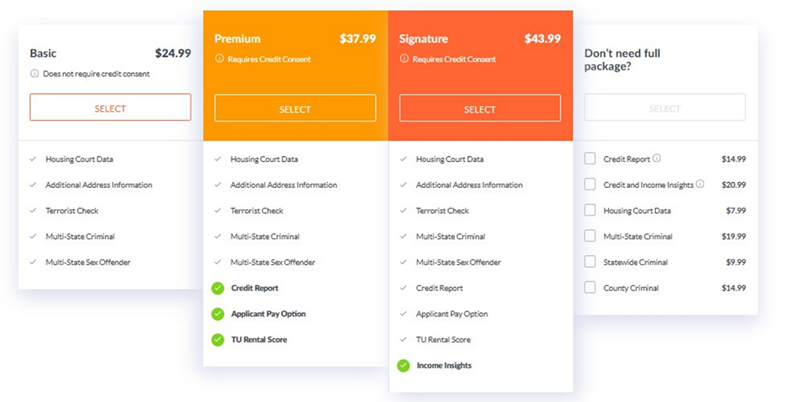
- Select a screening package or individual report.
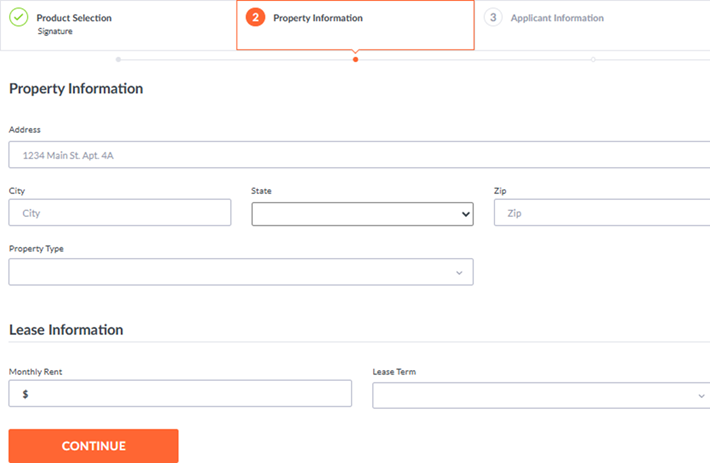
- Enter the property address.
- Enter applicant information.
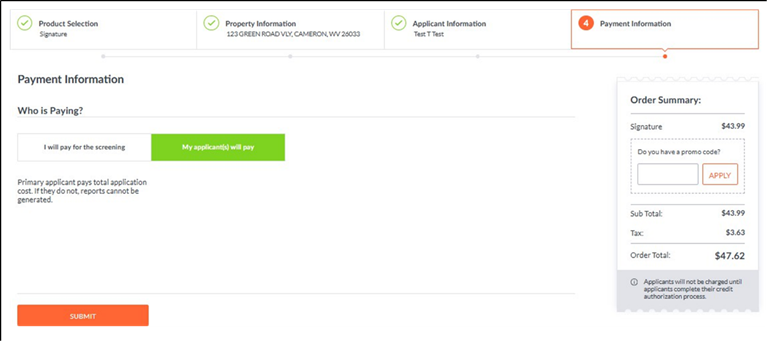
- Choose who pays for the report(s) and submit the request.
💬 Notes on Payment
- Renter Pay is available only for Premium, Signature, and the Standalone Credit Report.
- Renter Pay is not offered in all states. For the most current exclusions, visit:
www.MyRental.com/pricing
📬 What Happens Next
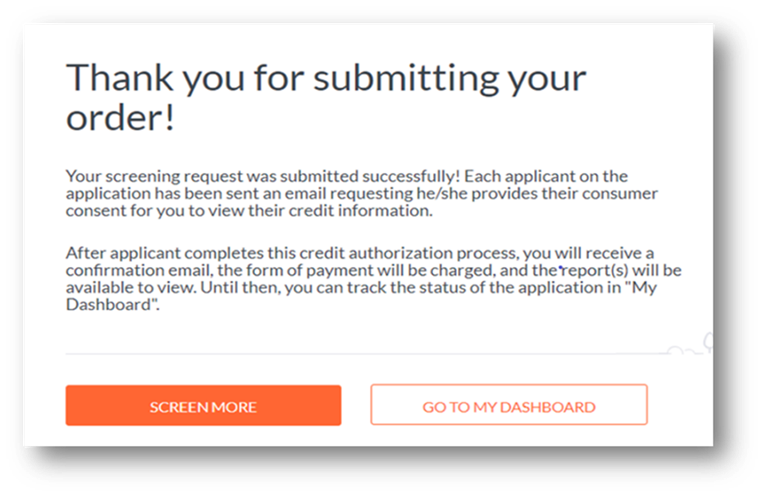
- Applicants receive an email prompting them to complete the application and provide consumer consent.
- Once finished, you receive a confirmation email.
- Reports will also appear in My Dashboard as they become available.
🔎 Multiple Applicants
If more than one applicant is included in the screening:
- The full report becomes available only after each applicant completes the authorization process.
- Any applicant who does not complete their portion will simply not have a report generated.