Manage the Application Process
From the detailed view, you can see exactly where the applicant is in the application workflow.
You can also:
- Delete an application
- Edit applicant details
- Send reminder emails
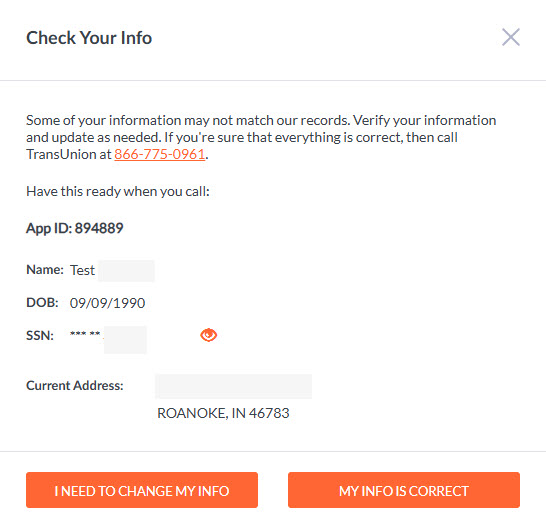
⚠️ ID Verification Issues
As part of screening, your applicant answers knowledge-based questions to verify their identity. What happens next depends on the outcome:
- If the applicant answers correctly, the screening reports become available to you.
- If the applicant answers incorrectly, identity verification fails and they must contact TransUnion directly for manual authentication at 833-458-6338.
- TransUnion will request the applicant's App ID number to verify their identity. Once validated, TransUnion will lift the “ID Process Failed” flag.
- If you entered the applicant’s name or SSN incorrectly, the applicant must provide you with a new email address so a new screening can be initiated.
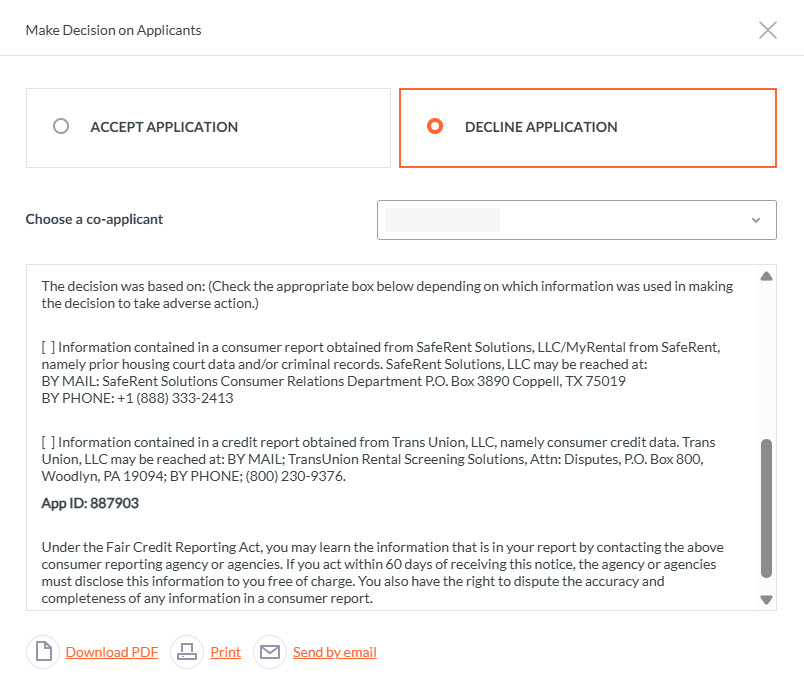
📝 Make a Decision on an Application
Once you’ve reviewed the reports and made your decision, click Accept or Decline at the top of the report page.
This opens two options you can toggle between:
✔️ Accept Application
Allows you to view, download, print, or send the Acceptance/Welcome Letter to the applicant.
❌ Decline Application
Allows you to view, download, print, or send the Adverse Action Letter, as required under the FCRA.