Consumer Process
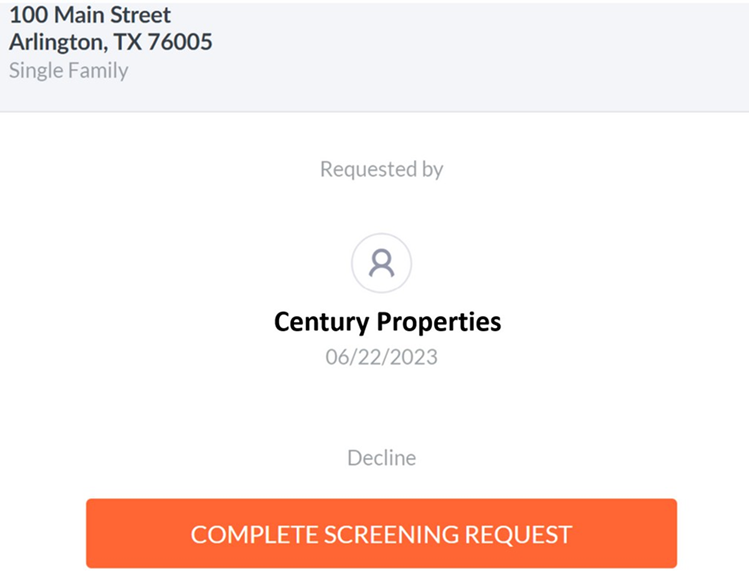
Any screening product that includes credit data—Signature, Premium, or Stand-Alone Credit—requires consumer consent. MyRental handles this by sending each applicant an email prompting them to create an account and complete their portion of the process.
📧 How the Consumer Is Notified
When you order a product that contains credit report data:
- Each applicant receives an email from MyRental.
- The email includes a link for the applicant to create an account and begin their required steps.
✅ Step 1: Personal Information
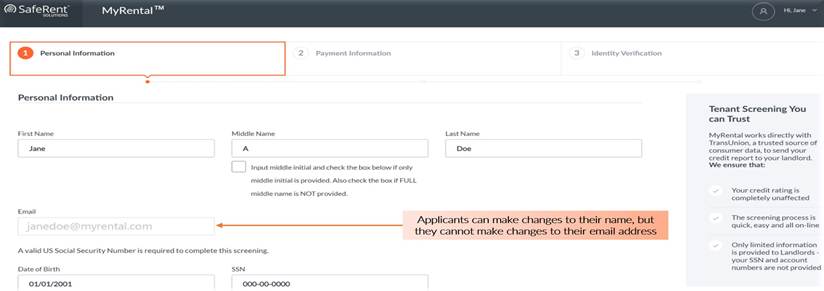
The applicant completes the Personal Information tab.
Notes:
- Applicants may edit their name if needed.
- They cannot change their email address.
💳 Step 2: Payment Information (if applicable)
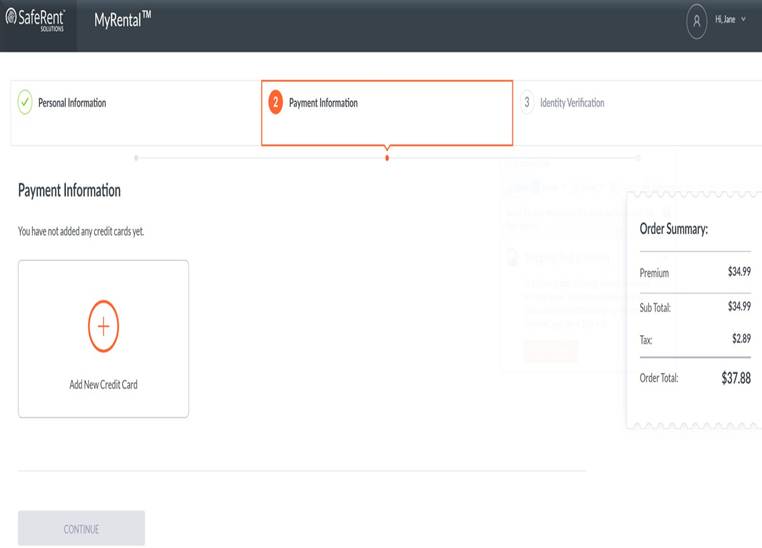
If the product or workflow requires the consumer to pay, the applicant completes the Payment Information tab.
Once payment is submitted (if required), the applicant will enter the identity verification stage.
🔐 Identity Verification (TransUnion)
Applicants must answer knowledge-based identity verification questions provided by TransUnion.
- If the applicant answers correctly, the screening reports become available to the landlord.
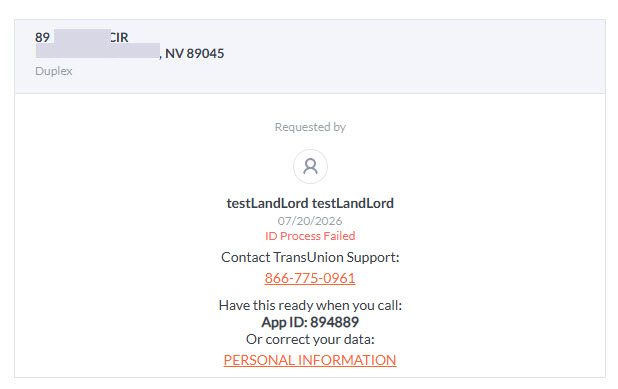
- If they fail the ID questions, they must contact TransUnion for manual authentication at 833-458-6338.
- TransUnion will request the applicant's App ID number to verify the applicant’s identity. Once validated, TransUnion will lift the “ID Process Failed” flag.
- If the applicant’s name or SSN was entered incorrectly by the landlord, the applicant must provide a new email address to the landlord so a new screening can be initiated.